Step 11: Determine where to find the article
At the top of each ERIC record there is an accession number (AN) preced by a 2-letter code and a 6-digit number. Accession numbers will either start with and ED or a EJ. These mean different things. ED tells you that the document is on microfische while EJ means the article is in a journal.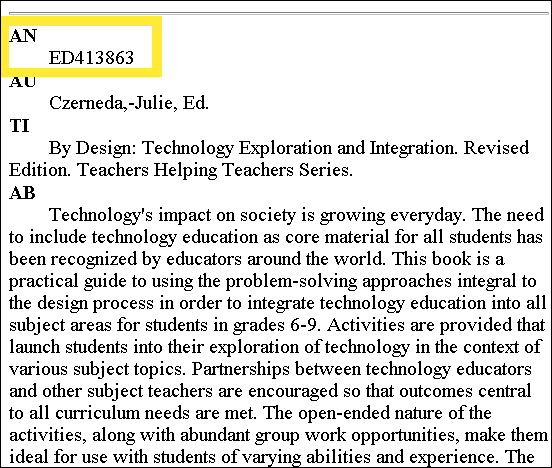
For example, if the accession number is ED 413863, this indicates that the article is an ERIC Document and therefore is reproduced on microfische. UVA students can access this microfische by going to the Education Library copy room where they have the ERIC document collection. Microfische is filled in the metal cabitnets by accession number. If you need help viewing microfische, just ask the library staff for help.
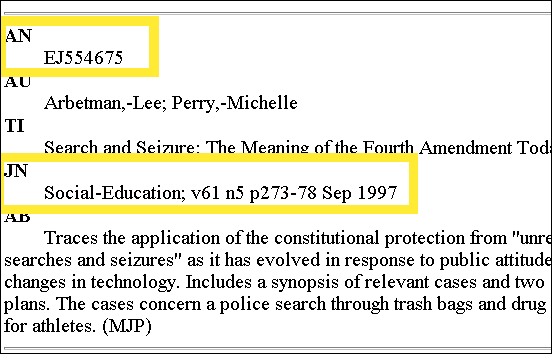
If the accession number starts with an EJ, you will want to then look at the JN field. JN stands for "journal." You would need to make a note of the journal name and then check to see if University (hopefully the Education Library) has that journal. To do this you need to go to Virgo on the libary homepage. If the University doesn't have the journal you need it's not the end of the world. Through an interlibrary loan you can get that article you need.
You'll probably find the library has most of the journals you need, but it's nice to know that you literally can locate any article you need.
