Step 10: Print the records.
Click on the button at the
top of the page.
button at the
top of the page.
Before clicking on the  button, make sure you have selected "Marked records" and to include the
"Search history." You might also want to select "Record numbers."
button, make sure you have selected "Marked records" and to include the
"Search history." You might also want to select "Record numbers."
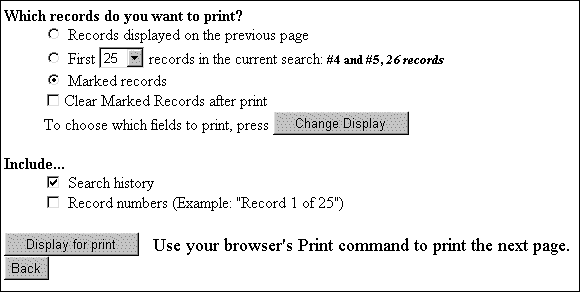
Click on .
Your records are now ready for print. On your Web browser click
the Print icon on the menu bar (e.g.  )
)
Now you need to see if the school library has these articles!

